 Tag Historyfor Shopify
Know exactly who changed every tag — and why
Tag History keeps a complete audit trail of tags added and removed on your orders, products and customers, shown right where you work in the Shopify admin.
Free plan includes 50 tag changes a month.
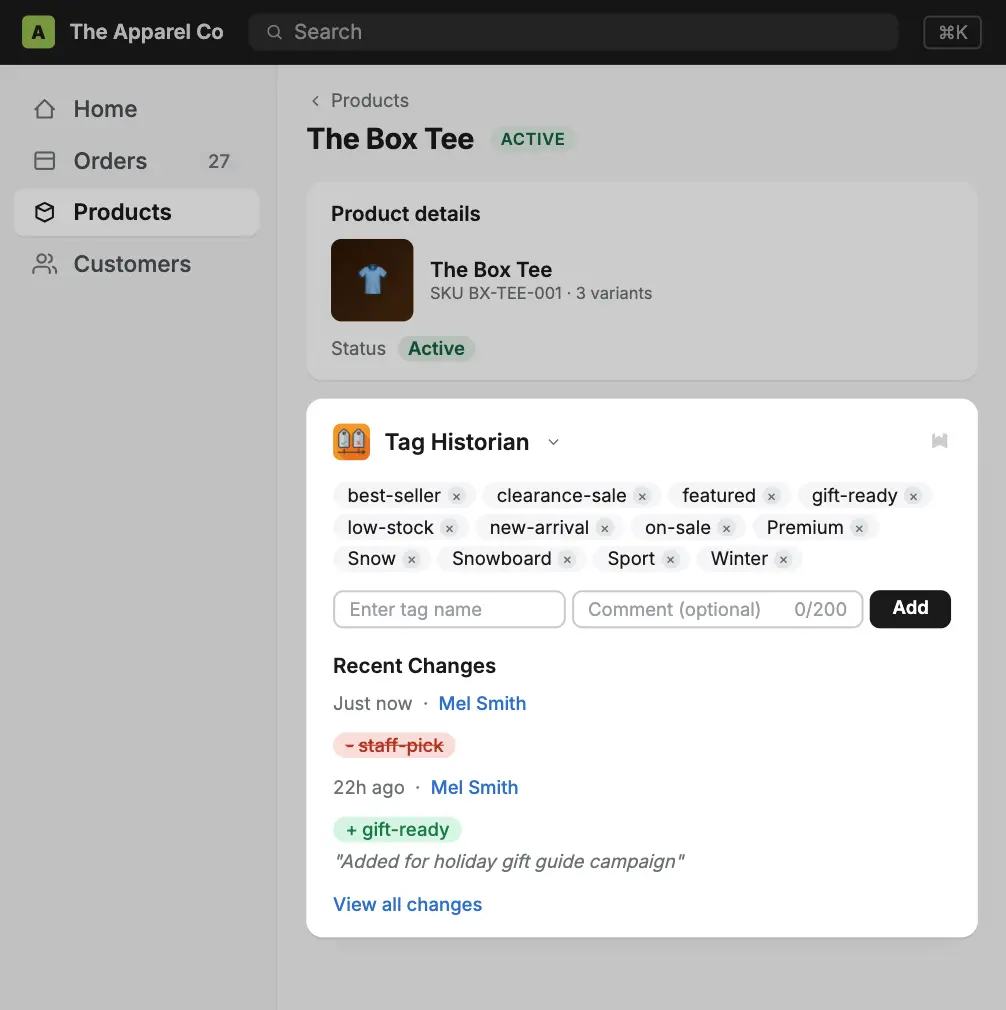
Stop guessing who touched your tags
Tags power your automations, collections, discounts and fulfilment. When one goes missing, Tag History tells you what happened.
Every change, recorded
Each tag added or removed on orders, products and customers is captured automatically — even changes made by other apps.
Staff attribution
See exactly which team member made a change when they edit tags through the Tag History block.
Timeline on every record
A clear history timeline sits right on the order, product or customer page — no switching apps.
Comments explain why Premium
Add a short note with each change so everyone knows the reason behind it.
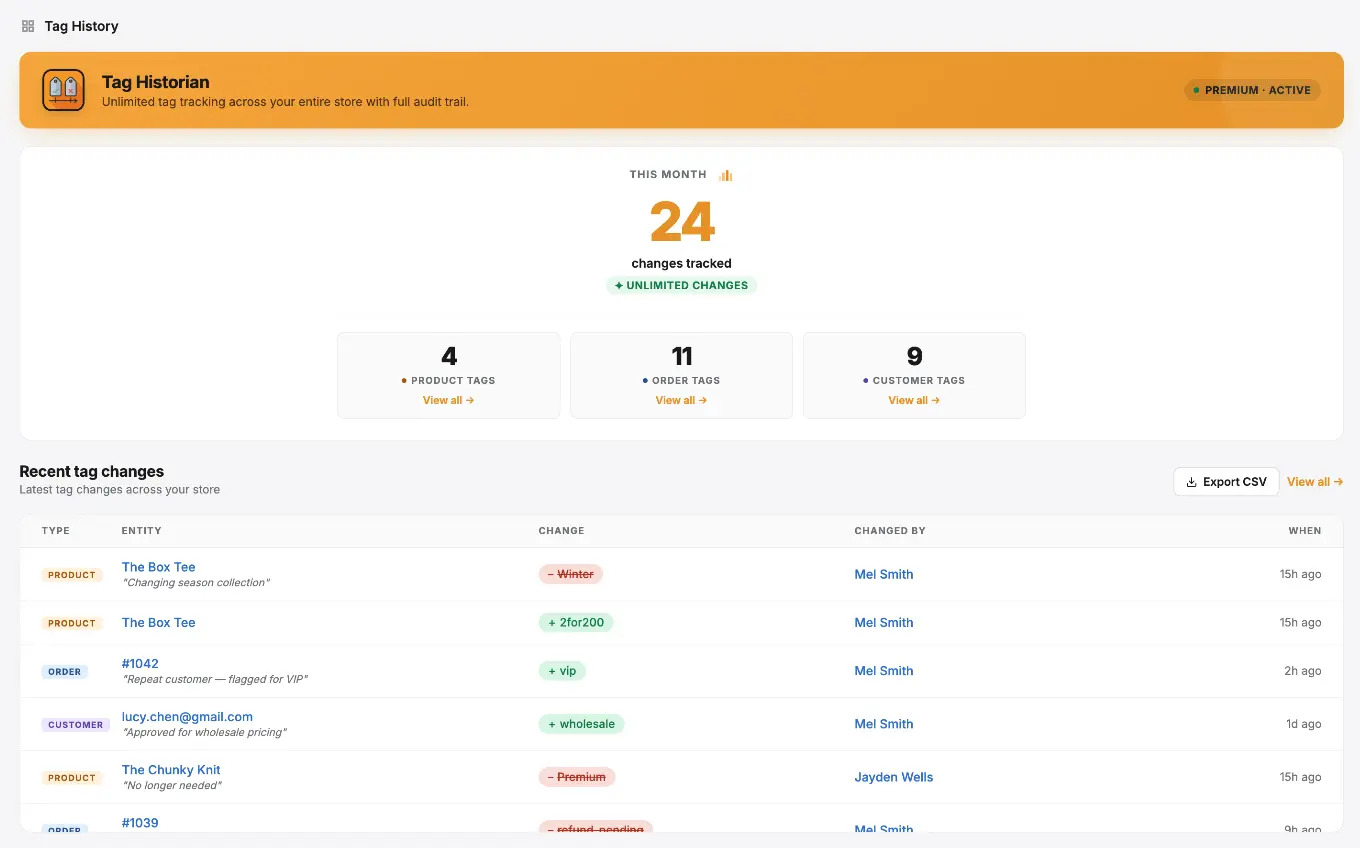
Store-wide dashboard
See recent tag activity across your whole store, plus your usage and plan, in one place.
CSV export Premium
Export your full tag history for reporting, reconciliation or compliance.
Set up in about two minutes
Install Tag History
Add the app from the Shopify App Store. Tag History starts recording tag changes on your orders, products and customers straight away.
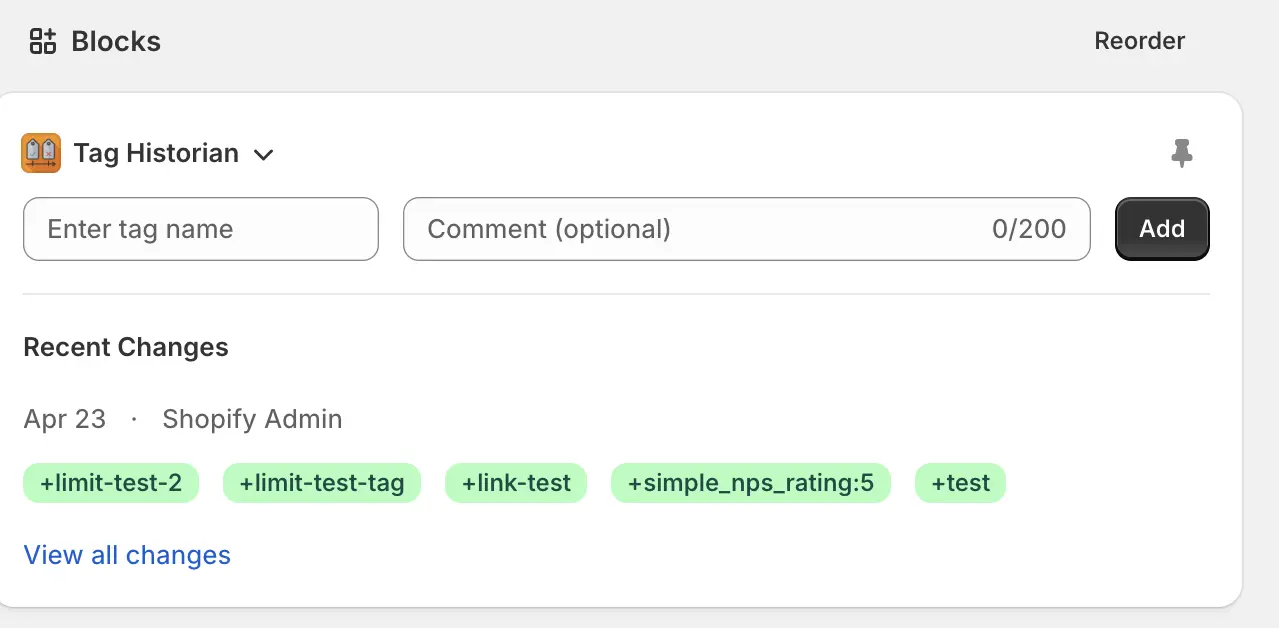
Add the block to your admin pages
Open any order, product or customer, scroll to Blocks, click + Block and choose Tag History. Pin it so your whole team sees it.
See the full story behind every tag
- Every tag add and removal is recorded
- Know who made the change and when
- Add comments explaining why (Premium)
- Export to CSV for reporting (Premium)
Start free, upgrade when you need to
Billed through Shopify. Cancel anytime.
Free
Perfect for smaller stores
- 50 tag changes per month
- Orders, products and customers
- Tag history timeline
Premium
For busy teams
- Unlimited tag changes
- Comments on history entries
- CSV export
- Priority support
Common questions
Which records does Tag History track?
Orders, products and customers. Each one gets its own admin block showing a timeline of tag changes.
Does it track tag changes made outside the app?
Yes. Changes made in Shopify's built-in tag field, by other apps, through bulk edits, CSV imports or the API are all recorded. To capture which staff member made a change (and add a comment), make the change through the Tag History block.
What about tags that existed before I installed?
Tag History records changes from the moment you install it. Tag changes made before installation aren't available.
How long is history kept?
Tag history is kept for as long as the app is installed. If you uninstall, all of your data is permanently deleted.
Where can I get help?
Check out the Tag History docs, use live chat inside the app, or send us a message.
Never lose track of a tag again
Install Tag History in minutes and get a full audit trail on the free plan.